Workrave has three different operation modes that can be selected from the menu:
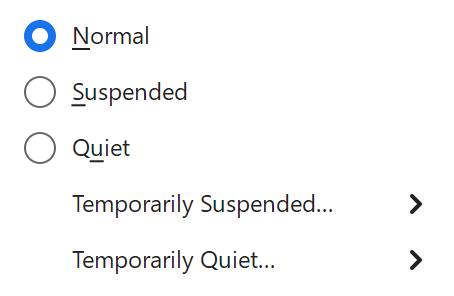
Normal
Workrave will monitor your keyboard and mouse use, and will remind you to take breaks.
Quiet
Workrave will monitor your keyboard and mouse use, but will not remind you to take breaks. This can be used, for example, when giving a presentation and you don’t want to be interrupted by a break.
Suspended
Workrave will not monitor your keyboard and mouse use, and will also not remind you to take breaks. This can be used, for example, when someone else is using your computer.
Related to the Operation Mode is the Reading Mode.
Change mode for a limited time
In Mode → Temporarily Quiet… or Temporarily Suspended…, choose a duration such as For 30 minutes or For 1 hour. Workrave returns to Normal when that time expires. Until next day ends at the start of the next Workrave day.
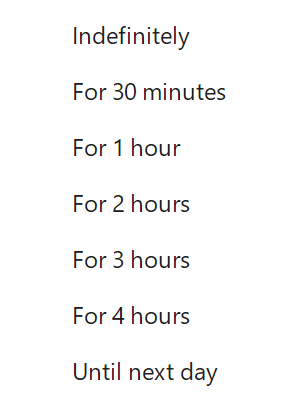
Indefinitely keeps the selected mode active until you change it. Choose Normal to end a temporary mode early.
Last updated: Oct 11, 2026