This section contains information on the different kind of breaks that Workrave supports. A number of fundamental concepts of Workrave are explained in this section.
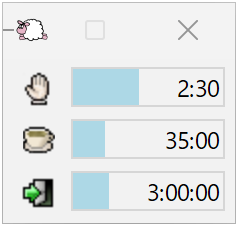
This section explains Workrave’s main timer window.
Workrave can be controlled from a menu. This section explains all the menu items.
Workrave is highly configurable. This section explains all the settings.
Workrave can show a number of exercises at the start of the break.
Workrave collects statistics on your break compliance and keyboard mouse usage.
On several Linux desktop environments, Workrave can show the timers in the status bar or panel. This way the timers are always visible without using precious space on your desktop.
This guide covers Workrave 1.11 with the GTK interface. Application screenshots use Windows 11; the screenshot preview interface in 1.12 is used where its appearance matches 1.11. Linux panel illustrations are retained from the original guide. See what changed since 1.10.
Last updated: Oct 11, 2026