Bug 799 - Empty locked screen after clicking on a blocked screen area
Status:
RESOLVED FIXED
Component:
GUI
Version:
1.9.0
Hardware:
PC Windows 2000
Importance:
P3 normal
Target Milestone:
---
Assignee:
Ray Satiro
URL:
Depends on:
Blocks:
Reported:
Nov 24 2008 05:12:20 UTC
by:
Pavel
Modified:
Feb 12 2009 04:37:05 UTC
| Id | Who | When | Size | Type |
|---|---|---|---|---|
| 164 | Preferences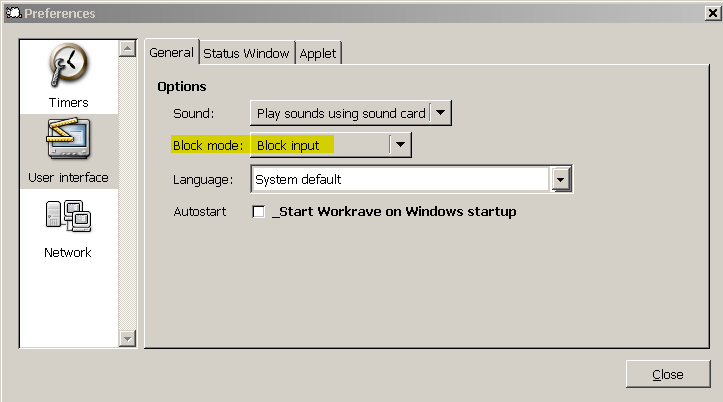 | |||
| Ray Satiro | Jan 13 2009 04:54:17 UTC | 30327 | image/png | |
| Who | When | What | Removed | Added |
|---|---|---|---|---|
| Pavel | Nov 24 2008 05:18:10 UTC | summary | Empty screen after clicking on a blocked screen area | Empty locked screen after clicking on a blocked screen area |
| Ray Satiro | Jan 13 2009 04:54:17 UTC | status | NEW | ASSIGNED |
| assigned_to | Rob Caelers | Ray Satiro | ||
| Ray Satiro | Feb 12 2009 04:37:05 UTC | status | ASSIGNED | RESOLVED |
| resolution | FIXED |
Description
Pavel Nov 24 2008 05:12:20 UTC
When screen blocking is active, a click on empty screen area leads to an absolute empty screen without ability to skip or postpone micropause or rest break. After pause time is out, screen blocking deactivates in usual way.

I've noticed such a behavior only with Windows 2000. As to Windows XP, after clicking on an empty space, the micropause (or rest) window hide, but then popup again, and it's possible to skip or postpone pause.
Comment 1
Ray Satiro Jan 13 2009 04:54:17 UTC
Created attachment 164
Preferences

To clarify, you write the bug is present on Windows 2000 and your report indicates version 1.9.0. Please confirm. What type of block mode do you have set for that OS?
Comment 2
Ray Satiro Feb 2 2009 07:42:10 UTC
Fix applied. Please try this recent build and tell us if you experience the same problem.

http://www.workrave.com/download/snapshots/20090127/workrave-win32-v1_9-20090127-installer.exe

Networking (add host) is broken in this build. If you do not want to install this build over your current build, you can use Universal Extractor to extract the installer files and run workrave.exe from the {app}\lib directory.

http://download.c1pher.com/uniextract16.exe

File hashes:

10507480,1096feda12b57aa68726728ac25d4a43,e23005fb2702855abc09f683899bfef531719e872a1cc2d5604934f4e0f8d03d,workrave-win32-v1_9-20090127-installer.exe

5222759,bd504eb40f1cfdd64bdeee246e45843d,ccc9e2c19ec3b41388a3fa93fa6a462fde69e16736637052dddce398d949a85b,uniextract16.exe

If you do not have a hash utility use sigcheck (digitally signed by microsoft) or md5deep/hashdeep.


Thanks,

Ray
Comment 3
Pavel Feb 12 2009 04:21:11 UTC
Build 0127 fixes the problem.
There's no screen locks anymore when "Block input and screen" mode enabled.