Bug 320 - Make break windows draggable
Status:
RESOLVED FIXED
Component:
GUI
Version:
1.4.0
Hardware:
All All
Importance:
P4 enhancement
Target Milestone:
---
Assignee:
Raymond Penners
URL:
Depends on:
Blocks:
Reported:
Oct 3 2003 01:28:46 UTC
by:
Raymond Penners
Modified:
Mar 10 2008 00:03:04 UTC
CC List:
Kate
| Id | Who | When | Size | Type |
|---|---|---|---|---|
| 24 | Mockup of break window with mini title bar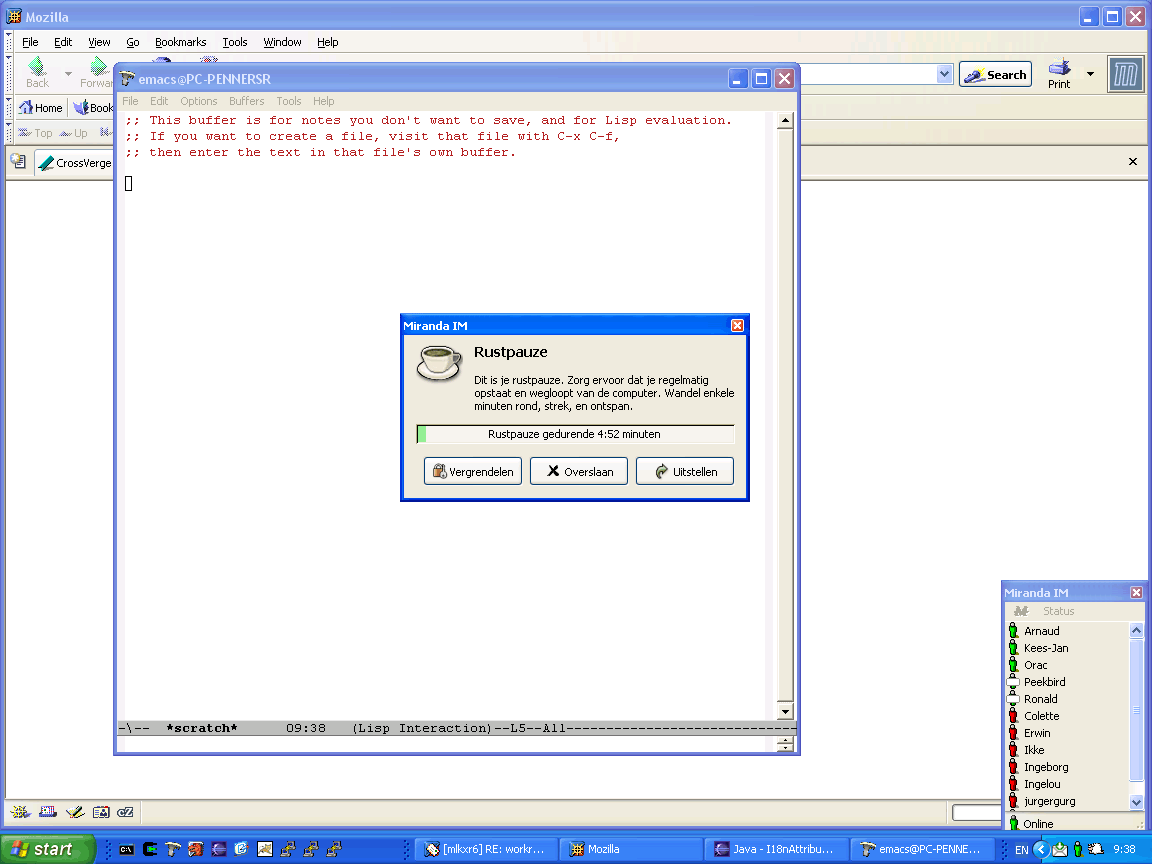 | |||
| Raymond Penners | Oct 3 2003 01:30:12 UTC | 35249 | image/png | |
| 25 | micropause break window crash | |||
| Kees-Jan Dijkzeul | Oct 13 2003 01:09:05 UTC | 4160 | text/plain | |
| Who | When | What | Removed | Added |
|---|---|---|---|---|
| Raymond Penners | Oct 13 2003 00:44:46 UTC | assigned_to | Rob Caelers | Raymond Penners |
| Raymond Penners | Oct 20 2003 23:48:17 UTC | status | NEW | ASSIGNED |
| Rob Caelers | Aug 27 2007 14:03:39 UTC | priority | P2 | P4 |
| Rob Caelers | Mar 10 2008 00:03:04 UTC | status | ASSIGNED | RESOLVED |
| resolution | FIXED |
Description
Raymond Penners Oct 3 2003 01:28:46 UTC
There have been several users that want the position of the break windows to be
configurable (bug 95 and bug 318). We did not choose to implement this, because:

A) It defeats the purpose of Workrave: preventing RSI.

B) Such an option would be a broken option, as you simply cannot predict a
position that will not obstruct your view on your desktop.

Kate made some good points. Come to think of it, we're not doing a good job of
upholding the purpose of Workrave anyway, now that breaks can be disabled at
will. Apparently, the user demands for an RSI tool such as Workrave are too
diverse. So I am willing to relax A).

As for B), it suddenly dawned upon me that there exists a simple 'just works'
solution: give the break windows a titlebar so that the user can drag the window
to whereever (s)he wants.

So here is the proposal:

1) Break windows will get a (mini) title bar. This is not configurable.

2) The last break window position is remembered, and for the next break the
break window reappears at the last recorded position.

3) The title bar will have a close button, if and only if skip/ignore buttons
are enabled. This close button has the same action as "Skip".

All in all, I am quite happy with the idea. No configuration options are
introduced, our custom border decoration disappears which conforms break windows
to the OS look and feel, yet the functionality of Workrave has grown.

Okay people, what do you think of this? If we can agree on this one without
adding unneeeded bells and whistles, I am volunteering to implement it.

I will attach a screenshot to this bug right away...
Comment 1
Raymond Penners Oct 3 2003 01:30:12 UTC
Created attachment 24
Mockup of break window with mini title bar
Comment 2
Kees-Jan Dijkzeul Oct 3 2003 02:09:09 UTC
Hi,

I've been following your discussion with Kate with interest. I do not quite
agree with her, but I'll send a separate e-mail on that. Knowing you I'm not
going to stop you anyway, regardless of who is right :-)

Anyway, the overall proposal seems to be a good one, except for some details:

- I'm not very much in favour of the mini-title bar. It doesn't look that good,
and break windows aren't toolbars. I vote for full-size title-bars

- I don't like the idea of the close button skipping or postponing the break,
because it is not intuitive which one it is going to be. If a choice has to be
made, I'd err on the side of postponing, instead of skipping.

- This feature is going to produce some odd results in a multi-head setup. For
one, it will be possible to have several break windows on one head, which is a
bit much. Also, clicking close (be it postpone or skip) closes several windows,
instead of just one.

- I think I will want to be able to minimize the break window. This will most
optimally allow me to read the screen, while still having a break.

Eh...
Summarizing my proposals
- Full size title bar
- With minimize button
- No close button at all (hit postpone or skip instead)
- multi head: can't think of a good alternative. Ignore me :-)
Comment 3
Kate Oct 3 2003 09:01:38 UTC
The addition of a title bar to the pause and break windows is a good solution,
especially paired with a 'last recorded position' memory for those windows.
Resolves my needs without your having to add configuration options.

I'd suggest retaining the buttons as they currently are, ie. keep both the
skip and postpone buttons within the window. The title bar's close button
isn't necessary either (if a title bar can be included without one?) -- as you
say, if the skip/postpone options are activated they'll do the task, and if
not, nothing needs to be there (or even should be there) to close the window.

I appreciate the careful consideration that has gone into this request. Kudos
for the lateral thinking; you've come to a solution that fits with your
original intentions for creating the application and this user's need for one
little change to make the app. a perfect solution. Good going, Raymond. I'll
look forward to hearing that the new build is ready for download!
Comment 4
Raymond Penners Oct 13 2003 00:44:46 UTC
Work has begun to implement this feature. Starting since nightly build 20031013
(http://www.workrave.org/download/snapshots/20031013/) break windows have a
title bar using which the window can be dragged. The position is not yet
remembered, but as I did a lot of internal plumbing I would be happy if we could
get some early test coverage for this build. Thanks in advance.
Comment 5
Kees-Jan Dijkzeul Oct 13 2003 01:09:05 UTC
Created attachment 25
micropause break window crash
Comment 6
Kees-Jan Dijkzeul Oct 13 2003 01:41:49 UTC
First observations:

- Break windows have a close button. I recommend against that (see earlier comment)
- Break windows do not have a minimize button. I'd like to have one :-) (see
earlier comment)
- Windows apparently are resizable (cursor changes to arrow thingies above
border, and such) but can't be resized.
- When the exercise window is replaced by a simple break window, the break
window is placed center-screen, instead of at the location of the exercise window.
- When block user input is "off" and being active during a restbreak, the break
window goes away (maybe I should reopen bug 294?
- When postpone and skip are turned of, wr crashes when showing the break window
(see attached log)
Comment 7
Raymond Penners Oct 13 2003 11:22:44 UTC
Given the current time frame I do not think it is wise to try and implement this
feature for 1.4.1 already. Release 1.4.0 contains major crashing bugs, and a
stable 1.4.1 would be very desirable. I am backing off the changes, meaning the
20031013 build will be the only build with draggable breakk windows for now...
Comment 8
Raymond Penners Oct 20 2003 23:48:17 UTC
Not really planned, but I made some more progress towards fixing this bug in
http://workrave.com/download/snapshots/20031021/

The "Block input" option per break has been removed, and a global "Block mode"
has been introduced to make up for that. Basically, it features the following
blocking modes:

- None: draggable break windows (AKA Kate mode :-)
- Block input: User input is blocked, just like the old "Block input" option per
break.
- Block all: full system block (input and display is blocked).
Comment 9
Kees-Jan Dijkzeul Oct 21 2003 04:43:47 UTC
I've done some testing (daily build 20031021), and have tried to build
a Comprehensive List of Remaining open Issues (CLRI(tm))

* Full Block Mode
  - Windows are now built correctly (thanks for that), though
    annoyingly slow.
  - Generally seems to work well
  - Sometimes, the prelude is shown in the background
  - Background is not updated (i.e. Wr status window doesn't change)

* Input Only Mode
  - Works as good as ever :-)

* "Kate" Mode
  - Window positions are not remembered
  - Restbreak window is not positioned at the location of the exercise
    window
  - Becoming active during a restbreak causes the break to start
    over. (very annoying when combined with the previous point) This
    is not consistent with the micropause behaviour, or with the
    restbreak behaviour in other modes. (thanks for fixing bug 294,
    though)
  - Choosing "Preferences" during a break causes the break window to
    disappear
Comment 10
Rob Caelers Oct 21 2003 05:44:37 UTC
> - Becoming active during a restbreak causes the break to start
>   over. (very annoying when combined with the previous point) This

Originally, becoming active not only caused the break to start over but also
caused the break window be removed and the prelude window to appear. What
behaviour do you expect?

>   is not consistent with the micropause behaviour, or with the
>   restbreak behaviour in other modes. (thanks for fixing bug 294,
>   though)

Ah, yes. I forgot to close that bug...
Comment 11
Kees-Jan Dijkzeul Oct 21 2003 07:19:17 UTC
Ah... I should have been more clear on that one :-)

When becoming active during a break, I expect the break window to remain visible
(that's bug 294), and the timer to stop counting down (this is also in a bug
somewhere, couldn't find it though).
Comment 12
Rob Caelers Mar 10 2008 00:03:04 UTC
Another forgotten bug...

I fixed some of Kees-Jan's remarks.
- breaks are no longer restarted when user becomes active.
- the center of the window remains at the same location if the exercises disappear
- opening preferences does not close the break.

Break positions are not remembered. It not worth the trouble I think. Break windows should be dominantly visible when they appear. Also, each monitor get its own break window. people could start moving all break windows to a single monitor (and then ask for a 'reset break window positions' feature....)